How to Take Professional-Looking Photos with a Smartphone

Smartphone cameras are powerful today, but many users do not understand how settings impact photo quality. Learning basic controls improves sharpness, exposure, and overall image clarity significantly.
Most smartphones include features like HDR, portrait mode, night mode, and manual settings. Knowing when and how to use these features helps you capture more professional-looking photographs easily.
Resolution and aspect ratio also matter when shooting. Higher resolution ensures detailed images, while correct aspect ratio helps framing for social media or printing without unwanted cropping issues.
Clean lenses are often ignored but essential. Fingerprints or dust can reduce image sharpness instantly. Always wipe your camera lens before shooting to maintain clarity and professional results.
Mastering Lighting for Better Photography
Lighting is the most important factor in photography, even more than camera quality. Natural light usually produces the best results, especially during early morning or late afternoon hours.
Avoid harsh midday sunlight because it creates strong shadows and overexposed highlights. Instead, look for soft, diffused lighting or shoot in shaded areas for balanced exposure and color tones.
Indoor lighting can also be effective if used correctly. Position your subject near windows or use multiple light sources to reduce shadows and create depth in your photos naturally.
Experimenting with light direction helps create mood. Front lighting gives clarity, side lighting adds texture, and backlighting can produce dramatic silhouettes or artistic effects in your images.
Composition Techniques for Professional Shots
Good composition separates amateur photos from professional ones. The rule of thirds is a simple technique where you divide the frame into nine equal parts for better subject placement.
Placing your subject off-center creates more balanced and visually appealing images. It helps guide the viewer’s eyes naturally across the photo instead of focusing on one static point.
Leading lines such as roads, fences, or buildings can direct attention toward the subject. This technique adds depth and makes your photos look more dynamic and engaging overall.
Framing your subject using natural elements like windows or trees adds context. It also helps isolate the subject, making it stand out clearly in busy or complex backgrounds.
Using Camera Settings Effectively
Modern smartphones offer manual controls that allow you to adjust ISO, shutter speed, and white balance. These settings give you more control over exposure and image quality results.
Lower ISO values reduce noise and produce cleaner images, especially in bright conditions. Higher ISO is useful in low light but may introduce grain in your photographs.
Adjusting shutter speed helps capture motion effectively. Faster shutter speeds freeze action, while slower speeds create motion blur, useful for creative or artistic photography styles.
White balance ensures accurate colors in different lighting environments. Correcting it prevents images from looking too warm or too cool, maintaining natural and realistic color tones.
Editing Photos Like a Professional
Editing is a crucial step in smartphone photography. Even great photos can improve with small adjustments in brightness, contrast, sharpness, and saturation for a polished look.
Use editing apps to crop unwanted elements and improve composition. Cropping helps focus attention on the subject and removes distractions that reduce the photo’s overall impact.
Avoid over-editing because it makes images look unnatural. Subtle enhancements are more effective in maintaining a realistic yet visually appealing professional appearance in your photographs.
Filters can enhance mood but should be used carefully. Choose filters that complement the image instead of overpowering it, ensuring consistency and natural visual balance.
Choosing the Right Angles and Perspectives
Camera angle plays a major role in how a photo is perceived. Shooting from eye level is standard, but experimenting with different angles creates unique visual effects.
Low-angle shots make subjects appear powerful or larger than life. High-angle shots can make scenes look smaller or more detailed, depending on your creative intention and framing.
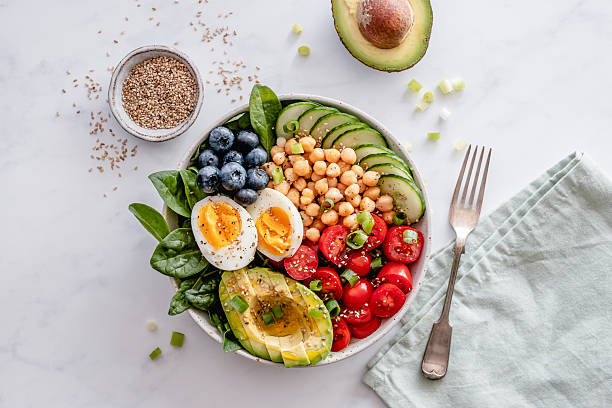
Close-up shots highlight details and textures that are often missed. They are useful for portraits, food photography, and product shots where detail is very important for impact.
Wide-angle perspectives capture more of the environment. This is ideal for landscapes or group photos where context and surroundings are just as important as the main subject.
Stabilization and Sharp Image Techniques
A steady hand is essential for clear images. Even slight movement can cause blur, so holding your smartphone firmly or using both hands improves stability during shooting.
Using a tripod or stabilizer significantly enhances sharpness, especially in low-light conditions. It allows longer exposure times without introducing unwanted motion blur or distortion.
Burst mode is useful for capturing fast-moving subjects. It takes multiple shots quickly, increasing the chances of getting one perfectly sharp and well-composed image.
Avoid zooming digitally as it reduces image quality. Instead, move closer to the subject physically to maintain clarity and ensure professional-grade detail in your final photos.
Building a Consistent Photography Style
Consistency helps develop a recognizable photography style over time. Using similar lighting, tones, and composition techniques creates a unified look across all your images.
Choosing a specific theme or niche improves focus. Whether it is travel, portraits, or street photography, consistency helps you improve faster and build stronger visual storytelling skills.
Practicing regularly is key to improvement. The more you shoot, the better you understand light, angles, and composition, leading to naturally professional-looking results over time.
Reviewing your past photos helps identify mistakes and improvements. Learning from previous work allows continuous growth and refinement of your smartphone photography skills effectively and creatively.

About Premium Author
This post has been authored and published by one of our premium contributors, who are experts in their fields. They bring high-quality, well-researched content that adds significant value to our platform.
You Might Also Like
Popular Categories
Stay Connected
Recent Posts